
Shop-Floor Tablet Buyer's Guide (2025)
A buyer's guide for manufacturers who want shop-floor tablets without unnecessary cost, distraction, or complexity.
Why This Guide Exists
You have probably heard or said some version of this:
- “Tablets everywhere would be expensive.”
- “They will get broken.”
- “They will get stolen.”
- “People will use them for things other than work.”
- “We do not have Wi-Fi in the shop.”
- “Who is supposed to manage all of this?”
These are not hypothetical concerns. They are the real reasons most shop-floor digitization efforts stall. This guide walks through what to buy, how to deploy it, and how to keep control without adding operational burden.
1. Device Categories That Actually Make Sense
Most shops do best with a mix of device types depending on environment and use. You do not need one device per person.
A. Budget-Friendly Rugged Tablets
Best for shared workstations and fixed locations.
Typical characteristics:
- Android-based
- IP-rated for dust and moisture
- Low enough cost to scale and replace if needed
- Often available with built-in LTE
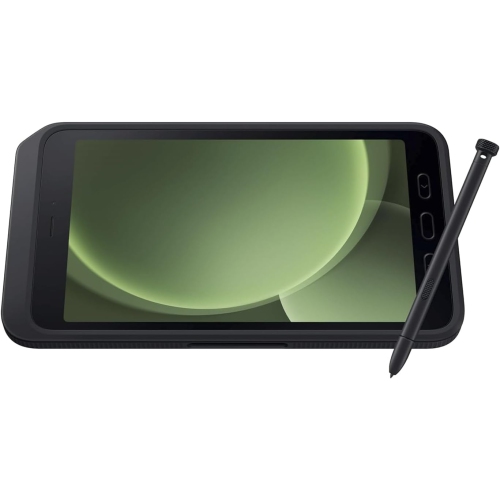
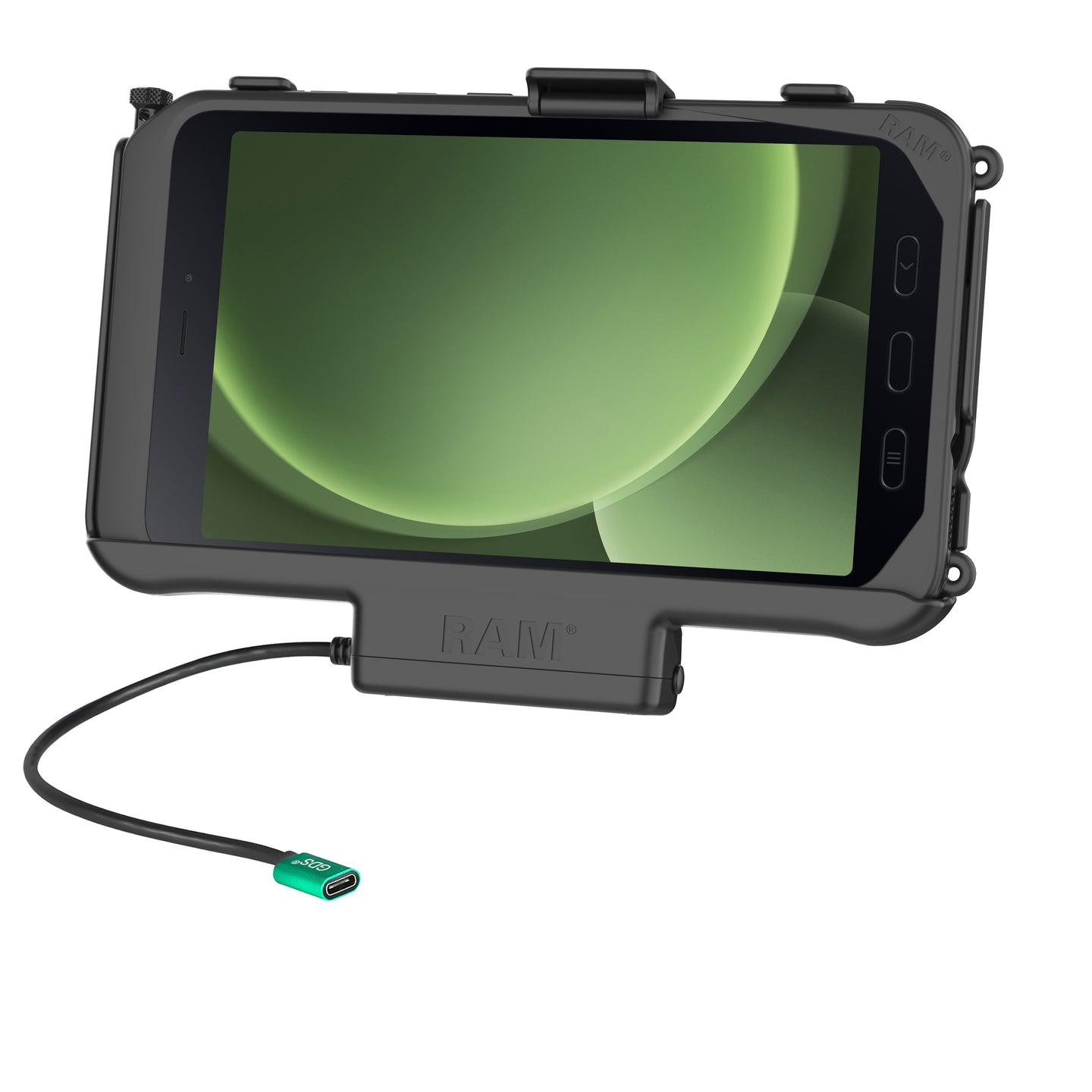
Samsung Galaxy Tab Active5
A widely used rugged Android tablet with strong durability at a reasonable price.
- MIL-STD-810H rated
- Glove and wet-touch support
- Replaceable battery
- Optional 5G for cellular deployments
B. Mid-Tier Rugged Tablets
Best for supervisors and areas where devices move between stations.
Typical characteristics:
- Better screens and battery life
- MIL-STD durability ratings
- Optional cellular connectivity
- Longer manufacturer support lifecycle
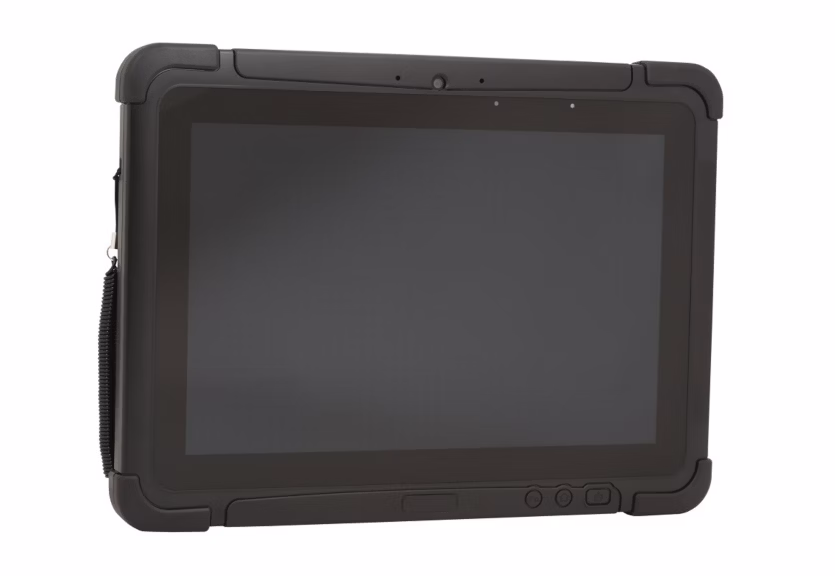
Honeywell RT10A Rugged Tablet
A purpose-built industrial Android tablet designed for logistics and manufacturing environments.
- 10-inch display
- Hot-swappable battery
- Strong drop and ingress protection
- Long enterprise support lifecycle
C. Fully Rugged Industrial Tablets
Best for harsh environments with vibration, dust, coolant, or frequent drops.
Typical characteristics:
- IP66 or IP67 ratings
- Designed for multi-year service life
- Higher upfront cost
- Fewer devices deployed overall
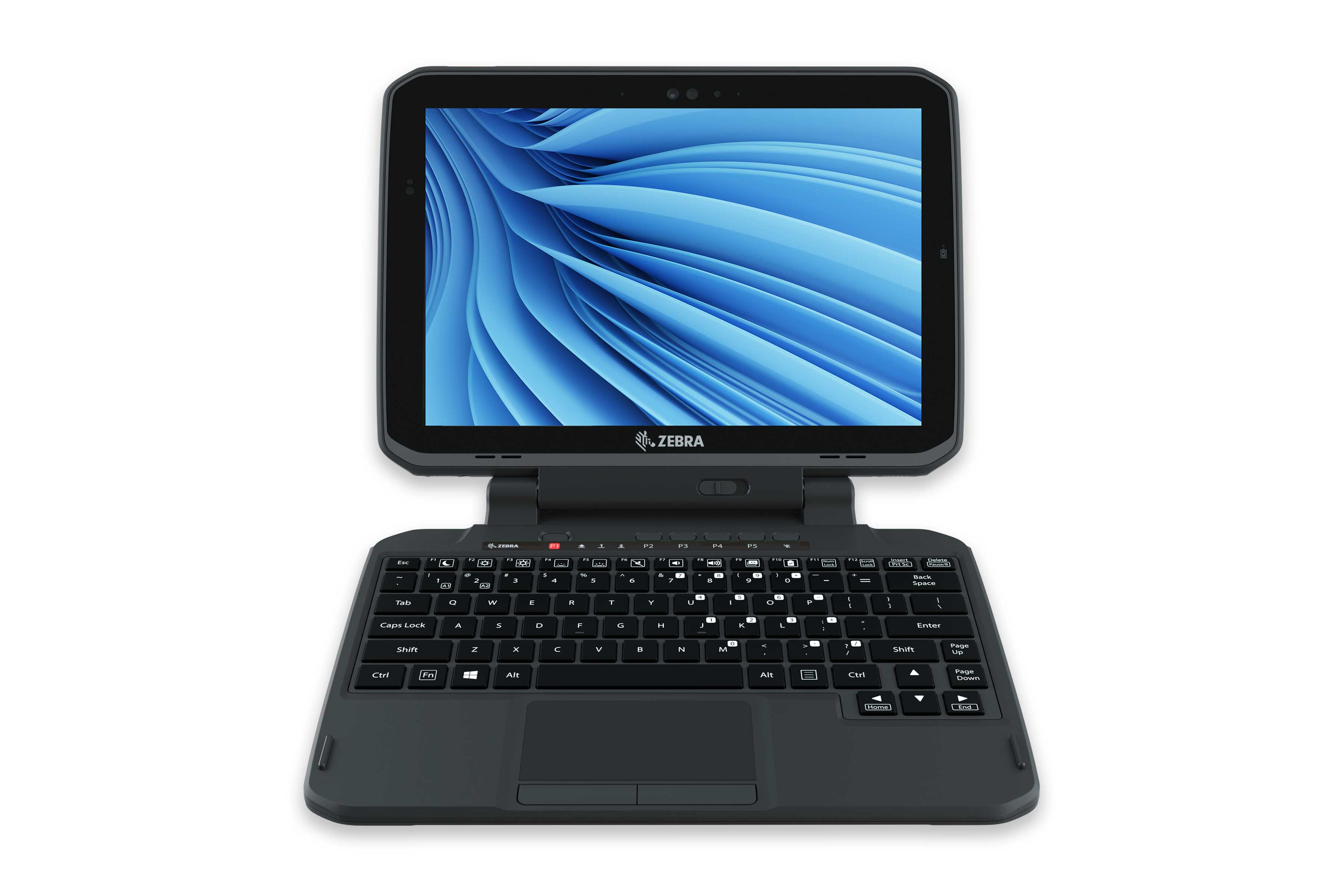
Zebra ET80 / ET85 Series
Enterprise-class rugged tablets built for mission-critical operations.
- Windows or Android options
- Wi-Fi 6E and optional cellular
- Extremely durable
- Designed for multi-year deployments
2. Connectivity Options for the Shop Floor
If you do not already have reliable shop-floor connectivity, there are two realistic paths.
Option A: Cellular Tablets
Cellular-enabled tablets remove the need for shop Wi-Fi.
Pros:
- Fast to deploy
- No infrastructure changes required
- Works well for pilots or older buildings
Cons:
- Higher device cost
- Ongoing data plans
This is often the simplest way to get started.
Option B: Shop-Floor Wi-Fi
Installing Wi-Fi coverage can be a one-time investment that lowers long-term costs.
Common approaches:
- Ceiling-mounted access points for open areas
- Rugged or DIN-rail mounted access points near machines
- Network segmentation for shop-floor traffic
Important consideration: If your business internet connection is limited, adding many connected devices can affect bandwidth for office systems. This should be planned intentionally.
3. Cases, Mounts, and Physical Protection
Even rugged tablets benefit from proper protection.
Best practices:
- Use rugged cases when tablets are not fully rugged by design
- Mount tablets at workstations where possible
- Use wall mounts or docks to define ownership and storage locations
- Label devices clearly as company assets
Mounting alone significantly reduces drops and loss.
4. Keeping Devices Focused on Work
The concern is not misuse. It is loss of focus and accountability.
Most businesses address this by:
- Locking tablets to a single application
- Allowing only a small set of approved tools such as a calculator, camera, or PDF viewer
- Disabling browsers and app stores
- Using kiosk or single-app modes
This keeps tablets purpose-built and prevents them from becoming general-purpose devices.
5. Device Management Without an IT Team
Managing shop-floor tablets does not require a full IT department.
What works in practice:
- Standardize on one or two tablet models
- Preconfigure devices before deployment
- Use a simple mobile device management system
- Assign devices to workstations or areas, not individuals
Day-to-day management should be minimal. If it is not, the setup is likely overcomplicated.
6. Cost Expectations
Rough planning ranges:
- Budget rugged tablets: a few hundred dollars per unit
- Mid-tier rugged tablets: roughly 600 to 1200 per unit
- Fully rugged industrial tablets: 1500 and up, designed for long service life
Most shops start small and expand once value is proven.
7. How to Choose What Is Right for Your Shop
A simple way to think about it:
- Mostly fixed stations with basic input: start with budget or mid-tier rugged tablets
- Harsh environments: use fully rugged tablets selectively
- No reliable Wi-Fi: use cellular tablets or plan Wi-Fi intentionally
- Limited internal support: standardize aggressively
Final Recommendation: Pilot First
Start with a single department and a small number of devices. Validate durability, connectivity, and workflow impact before expanding.
This keeps risk low and makes future decisions easier.
Next Step
Choosing the right tablet is just the start. What matters most is having the right software to power it—job tracking, scheduling, and real-time updates that actually work on the shop floor.
Put Your Tablets to Work with Manufast AI
Get the most out of your shop floor with AI-powered scheduling, inventory control, and more.